Consent Overview
Understanding user consent across different authentication methods and platforms.
Currently, Glide implements consent by authentication method. This means that consent is handled natively by each platform and carrier integration rather than through a unified Glide consent layer. The consent experience varies depending on the authentication strategy:
- Android TS43: The Android operating system displays its own Digital Credentials API prompt, requesting permission before the SDK can perform network-based verification.
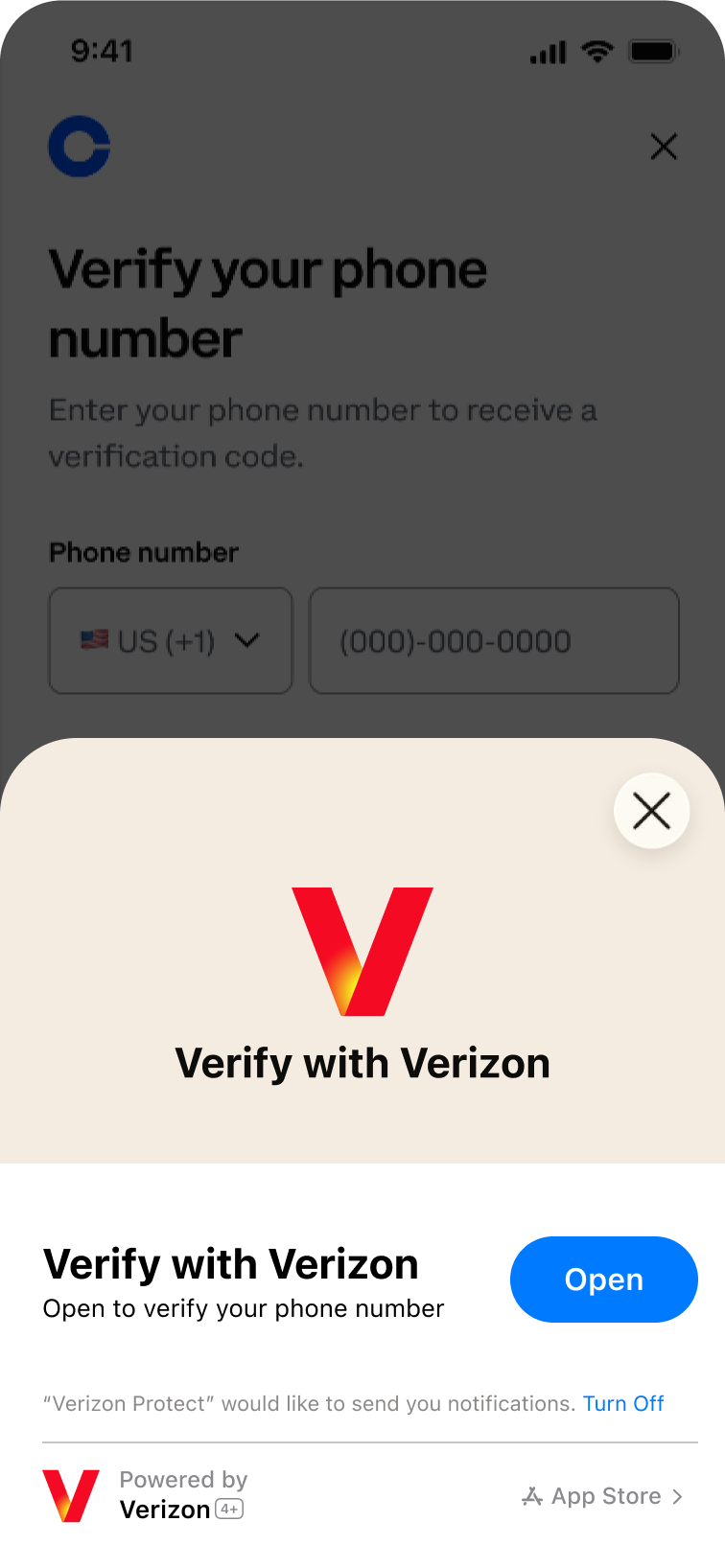
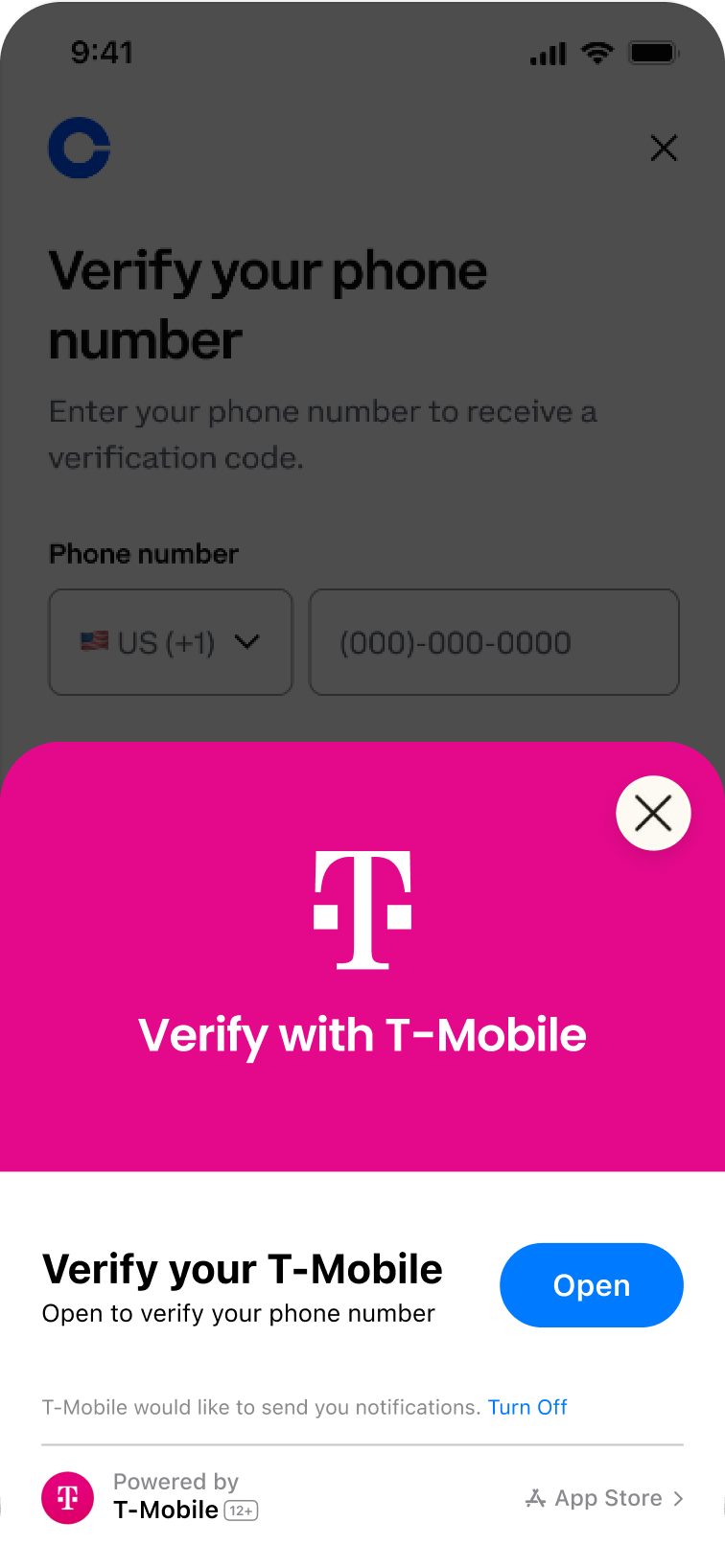
- iOS App Clips: Apple's App Clip technology handles consent through the native App Clip card, which users must approve before the authentication flow begins.
- Headless (Verizon on Android): Completely seamless verifyPhoneNumber with no consent prompt required—the verification happens transparently in the background.
Definitions
Carrier Consent
Permission required by the mobile network operator before processing the authentication request.
Android TS43 Consent
Permission required by the Android operating system to allow the SDK to perform network-based verification.
App Clip Consent
User approval required by iOS to launch the App Clip that handles the authentication flow.
Relying Party
The application or service requesting authentication (e.g., Glide, or other enterprise customers).
Consent Screens by Method
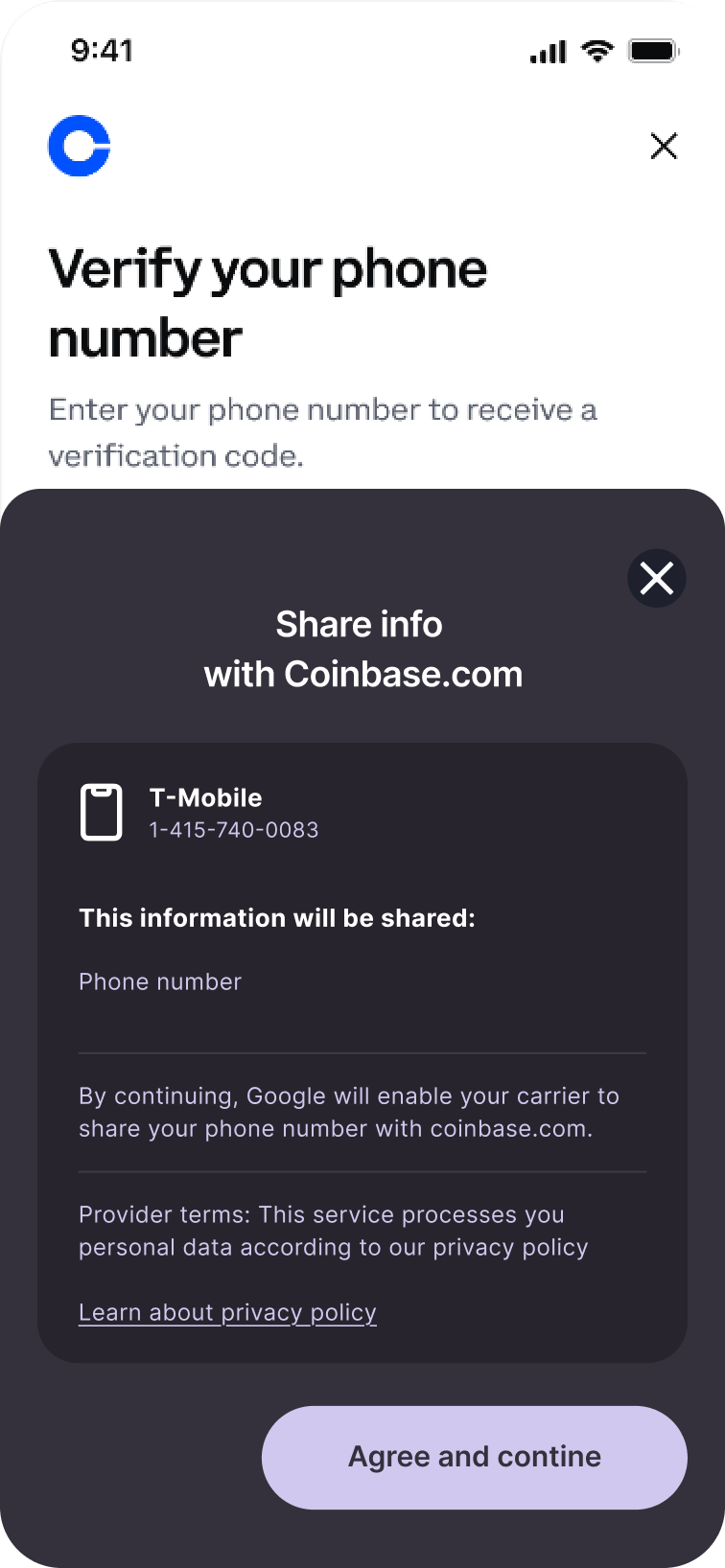
Android TS43 Consent
Native Android Digital Credentials API prompt that requests user permission for network-based verification.
Verizon App Clip
iOS App Clip consent screen for Verizon subscribers, providing carrier-level authentication.
T-Mobile App Clip
iOS App Clip consent screen for T-Mobile subscribers, enabling seamless carrier verification.
Future Features
Save Consent
A future enhancement where consent is stored per Relying Party, eliminating the need for repeated consent prompts for the same service provider.